

We love Quizlet! It’s great for getting small bites of intensive practice in. It’s fun, and you can personalise it so the activities you are doing are what you want to do.
I’m often asked - how can I access the Quizlet sets?
So, I thought I’d outline what you do here.
At the beginning of each Module, you will find a section of the course entitled: 'Quizlet link for lessons .... (1-4, 5-8, 9-12)'
as below highlighted. Click there.
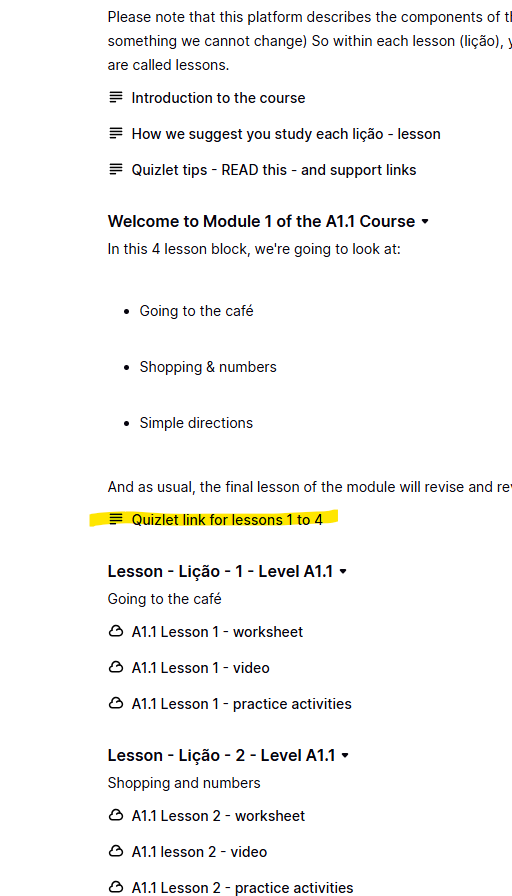
And you will see a screen like this:
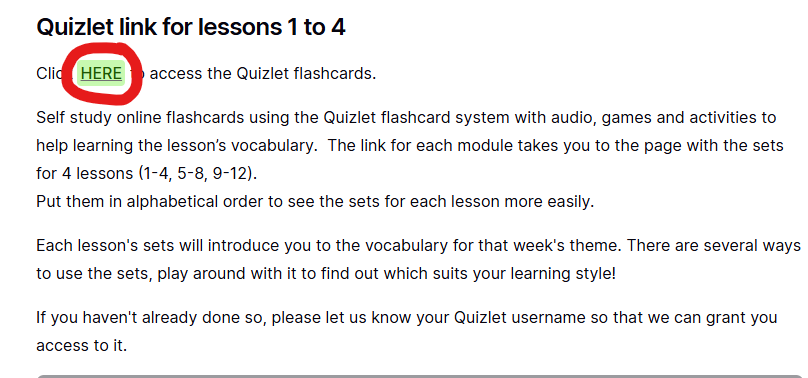
Click ‘HERE’ and it will take you to the correct set of Flashcards in Quizlet (if you are logged in). If you are not, then follow the log in steps to create a (FREE - you do not need any premium account or free trial) account. You will then see a screen like this:
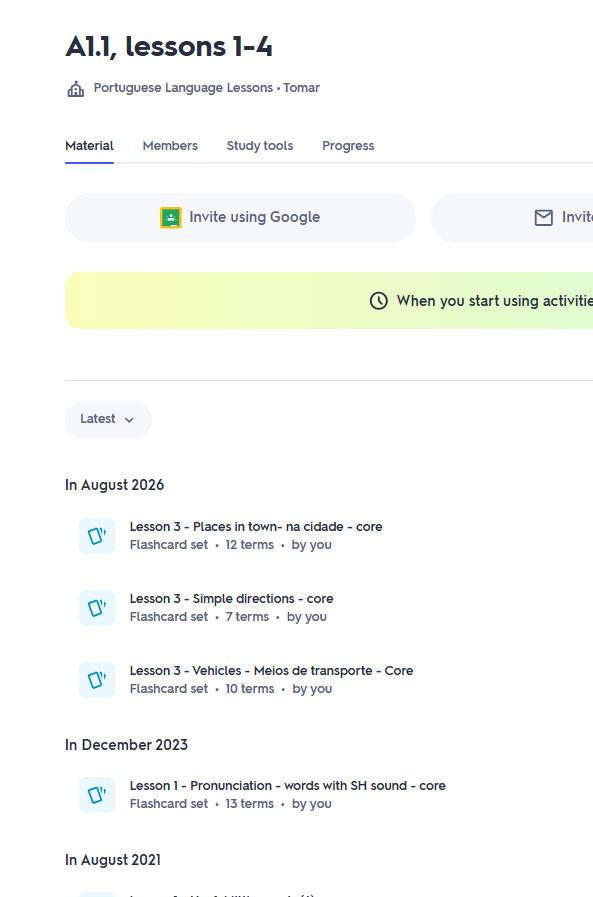
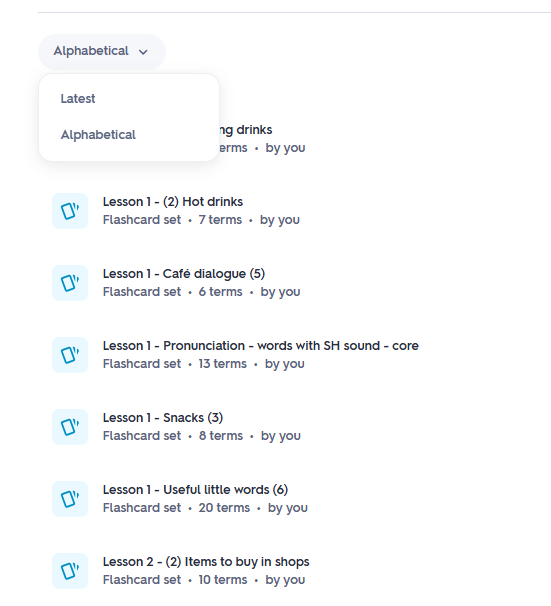
The sets may appear jumbled. Click on the 'latest' - drop down menu
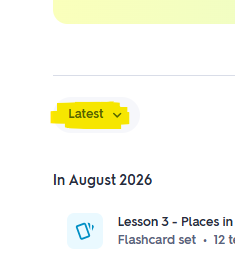
And you can put the sets into alphabetical order (on some devices you do not have this option unfortunately)
E pronto! You're ready to go.
Enjoy - Divirtam-se!